How to Optimize a WordPress Website for SEO and AI Search in 2026

How to Optimize a WordPress Website for SEO and AI Search in 2026
Building a WordPress website is only the first step toward establishing a strong online presence. The next challenge is helping the right people discover it.
You might have excellent services, an attractive design, and informative pages, but your website can still struggle to attract organic traffic if search engines cannot understand its content or visitors cannot find the answers they need.
Search is also evolving. Alongside traditional search results, people increasingly use AI-powered search experiences to research services, compare solutions, and get direct answers to questions.
This makes WordPress SEO optimization important for businesses that want to improve their visibility across search experiences.
The good news is that you do not need dozens of plugins or complicated technical changes to get started. A structured approach to content, performance, and website organization can make a meaningful difference.
What Is WordPress SEO Optimization?
WordPress SEO optimization is the process of improving a website so search engines can discover, understand, and potentially rank its pages for relevant searches.
It involves several connected areas:
- On-page SEO: Improving titles, headings, content, images, and internal links.
- Technical SEO: Making pages accessible to search engines and addressing crawlability, indexing, and performance issues.
- Content SEO: Publishing accurate, useful information that matches search intent.
- Local SEO: Helping businesses become more discoverable for relevant location-based searches.
- GEO: Structuring useful information so it is easier for generative AI systems to interpret and potentially reference.
These areas work together. A technically sound website with unhelpful content may struggle to satisfy users, while excellent content on pages that cannot be indexed may never reach its intended audience.
1. Start With Keyword Research and Search Intent
Before writing a blog post or optimizing a service page, understand what your audience wants to know.
For example, someone searching for “WordPress website development cost” probably wants pricing information and an explanation of what affects the cost. Someone searching for “hire WordPress developer” is more likely looking for a service provider.
These searches have different intentions and should not necessarily lead to the same page.
Start by identifying:
- The main service or topic you want to target
- Related questions your audience asks
- The location or industry you serve, where relevant
- Whether the searcher wants information, comparisons, or a service
Use one clear primary topic for each page. Include related phrases naturally instead of repeating the same keyword in every paragraph.
The goal is to make the page relevant to the reader’s question, not to reach an arbitrary keyword density.
2. Optimize Titles, Headings, and URLs
Every important page should have a clear title that explains its subject.
For example, instead of using a vague title such as “Our Services,” a page could use “WordPress Website Development Services for Growing Businesses” if that accurately describes the offering.
Organize the content with a logical heading hierarchy. Use an H1 for the main page title, H2 headings for major sections, and H3 headings for relevant subsections.
Keep URLs descriptive and readable. A URL such as /wordpress-maintenance/ is easier to understand than a long URL containing random numbers or unnecessary words.
Write a unique meta description for each important page. Although a meta description is not a direct ranking guarantee, it can help communicate the page’s value when used as the search-result snippet.
3. Improve Website Speed and Mobile Experience
Website performance affects how easily people can use your website. A slow or awkward mobile experience can make visitors leave before they reach your content or contact form.
To improve WordPress performance:
- Optimize images. Resize images to the dimensions required by your layout and consider modern formats such as WebP or AVIF.
- Use suitable hosting. Choose hosting that can handle your site’s traffic and resource requirements.
- Reduce unnecessary plugins. Review whether each plugin provides functionality your website actually needs.
- Configure caching. Use an appropriate caching solution where supported by your hosting environment.
- Limit unnecessary scripts. Large animations, external scripts, and excessive page-builder elements can affect performance.
- Test real pages. Check important landing pages and blog posts on both mobile and desktop devices.
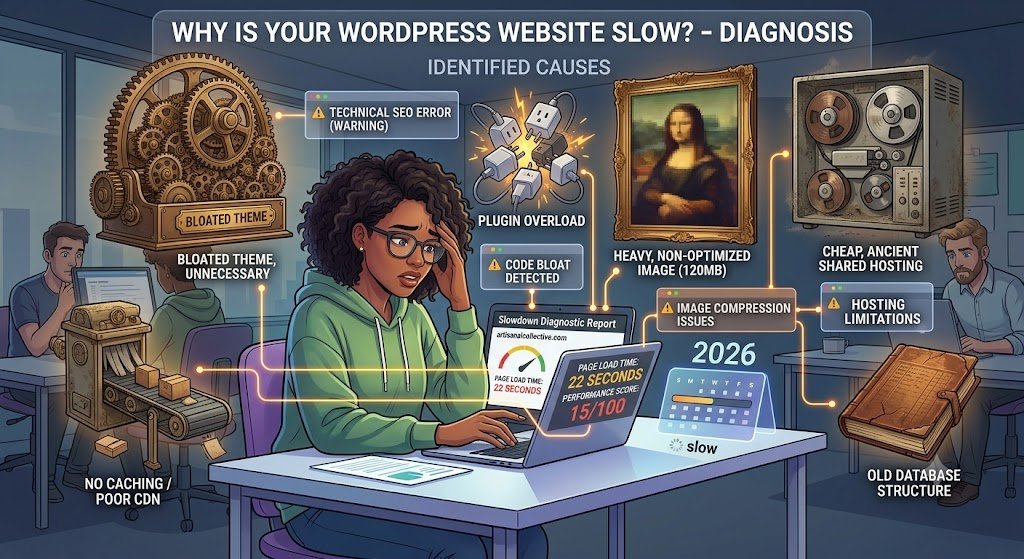
Use Google PageSpeed Insights and the Core Web Vitals reports in Google Search Console to identify issues worth addressing. Focus on measurable improvements rather than installing optimization plugins without understanding their effects.
4. Create Helpful, Original Content
Content is one of the most important parts of a sustainable SEO strategy.
A useful WordPress blog post should answer a real question, explain the subject clearly, and provide enough information for the reader to take the next step.
For example, a post about WordPress maintenance could explain update procedures, backups, security checks, performance monitoring, and common problems. Practical examples can make the advice more valuable than a generic list of tips.
Before publishing, ask yourself:
- Does this article answer the main question?
- Is the information accurate and up to date?
- Have I added useful examples or original observations?
- Are important terms explained in plain language?
- Does the article help readers make a decision or solve a problem?
Avoid publishing multiple articles that repeat almost identical information. Each post should serve a distinct purpose within your content strategy.
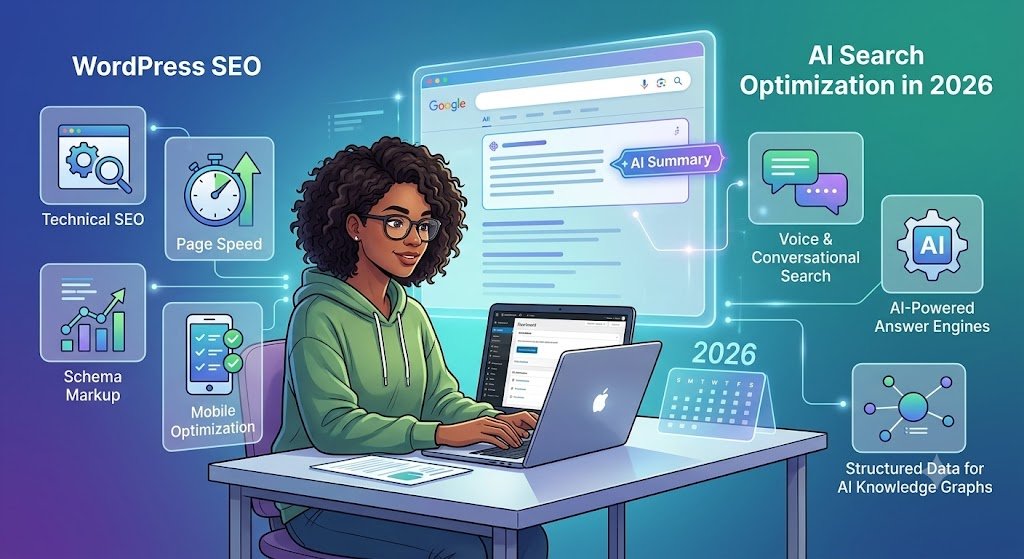
5. Optimize Your WordPress Website for GEO and AI Search
Generative Engine Optimization (GEO) refers to efforts to improve the chances that useful website information is understood, surfaced, or referenced in generative AI search experiences.
It is an evolving area, and there is no guaranteed checklist that secures AI citations. Google’s guidance emphasizes original, valuable content and explains that established SEO principles remain relevant to AI search.
Here are practical steps to follow.
Answer Questions Directly
When a heading asks a question, provide a concise answer near the beginning of the section before explaining the details.
For example:
What is WordPress website maintenance?
WordPress website maintenance involves keeping a website updated, secure, backed up, and functioning correctly through regular checks and ongoing improvements.
This structure helps readers find answers quickly and makes the information easier to interpret.
Use Clear, Descriptive Headings
Avoid vague headings such as “The Next Step” when a more informative heading is possible.
Use headings such as “How to Secure a WordPress Website” or “What Affects WordPress Development Costs?” when they accurately describe the section.
Add Evidence and Real Examples
Include relevant experience, original examples, case studies, and reliable references wherever possible. Explain how a recommendation applies in practice rather than simply repeating common SEO advice.
Do not invent client results, statistics, testimonials, or professional credentials to make an article sound authoritative.
Keep Important Information Accessible
Place essential explanations in readable page content rather than relying entirely on images, complicated interactions, or content that search engines cannot readily access.
Use descriptive links and make sure important pages are linked from relevant parts of your website.
Use Structured Data Where Appropriate
Structured data helps search engines understand certain types of content. Depending on your page, relevant schema may include Article, Organization, LocalBusiness, or BreadcrumbList.
The markup must accurately reflect the visible content and meet the applicable requirements. Adding schema does not guarantee rich results or inclusion in AI answers.
6. Set Up Technical SEO Correctly
Technical SEO helps search engines access and understand your website.
Start with the following checks:
- Confirm that important pages are not accidentally marked noindex.
- Submit your XML sitemap through Google Search Console.
- Review your robots.txt file to ensure it does not unintentionally block important resources.
- Use canonical URLs where appropriate to address duplicate or similar pages.
- Fix broken internal links and redirect URLs when pages move.
- Check for accidental duplicate titles and missing page descriptions.
- Make sure your website uses HTTPS.
WordPress offers useful SEO foundations, but themes, plugins, and custom code can affect how those features work. Review your actual website rather than assuming the default settings are correct.
You can use an SEO plugin to manage many of these tasks, but you generally do not need several plugins performing the same function.
7. Improve Local SEO for Location-Based Businesses
If your business serves customers in specific cities or regions, local SEO can help connect your services with relevant searches.
Start by providing accurate business information on your website. Include your service areas where appropriate, explain which services you offer in each location, and make it easy for visitors to contact you.
Maintain a complete and accurate Google Business Profile if your business is eligible. Encourage genuine customer reviews and respond professionally to feedback.
Avoid creating dozens of near-identical location pages that simply replace one city name with another. Each location page should provide useful, specific information about the service and the area.
For businesses that serve customers at their locations, make sure your website clearly explains your coverage area and any relevant service limitations.
8. Measure SEO Performance and Keep Improving
SEO is an ongoing process. Publishing an article does not guarantee that it will rank, attract traffic, or generate leads.
Use Google Search Console to monitor impressions, clicks, search queries, indexing issues, and page performance in search. Use analytics tools to understand how visitors interact with your content and whether they complete important actions.
Review these questions regularly:
- Which pages attract relevant organic visitors?
- Which search queries bring people to the website?
- Are visitors completing forms or contacting the business?
- Are important pages indexed correctly?
- Which articles need updating or clearer explanations?
Make changes based on actual performance data rather than chasing every new SEO trend.
Frequently Asked Questions
Is WordPress good for SEO?
Yes. WordPress provides useful SEO capabilities, including customizable URLs, structured content, and support for SEO plugins. Results still depend on content quality, technical setup, competition, and other ranking factors.
What is the difference between SEO and GEO?
SEO focuses on improving a website’s visibility in search engines. GEO focuses on helping content become understandable and potentially useful within generative AI search experiences. The two overlap, particularly in content quality, clarity, and accessibility.
Which WordPress SEO plugin should I use?
Choose one suitable SEO plugin based on your website’s needs and the features you actually require. Compare its sitemap, metadata, canonical URL, and schema capabilities, and avoid overlapping plugins.
Does schema markup guarantee AI search visibility?
No. Structured data can clarify the meaning of website content, but it does not guarantee rankings, rich results, or citations in AI-generated answers.
How long does WordPress SEO take to show results?
There is no fixed timeline. Results depend on competition, website history, content quality, technical issues, and the queries you target. Monitor performance over time and improve pages based on evidence.
Conclusion
Optimizing a WordPress website for SEO and AI search starts with the fundamentals: useful content, clear page structure, good performance, accessible information, and reliable technical setup.
GEO does not require abandoning traditional SEO or filling every article with keywords. Instead, focus on answering real questions, explaining concepts accurately, and adding information that makes your website genuinely useful.
When you combine these practices with regular measurement and improvement, your WordPress website has a stronger foundation for long-term search visibility.