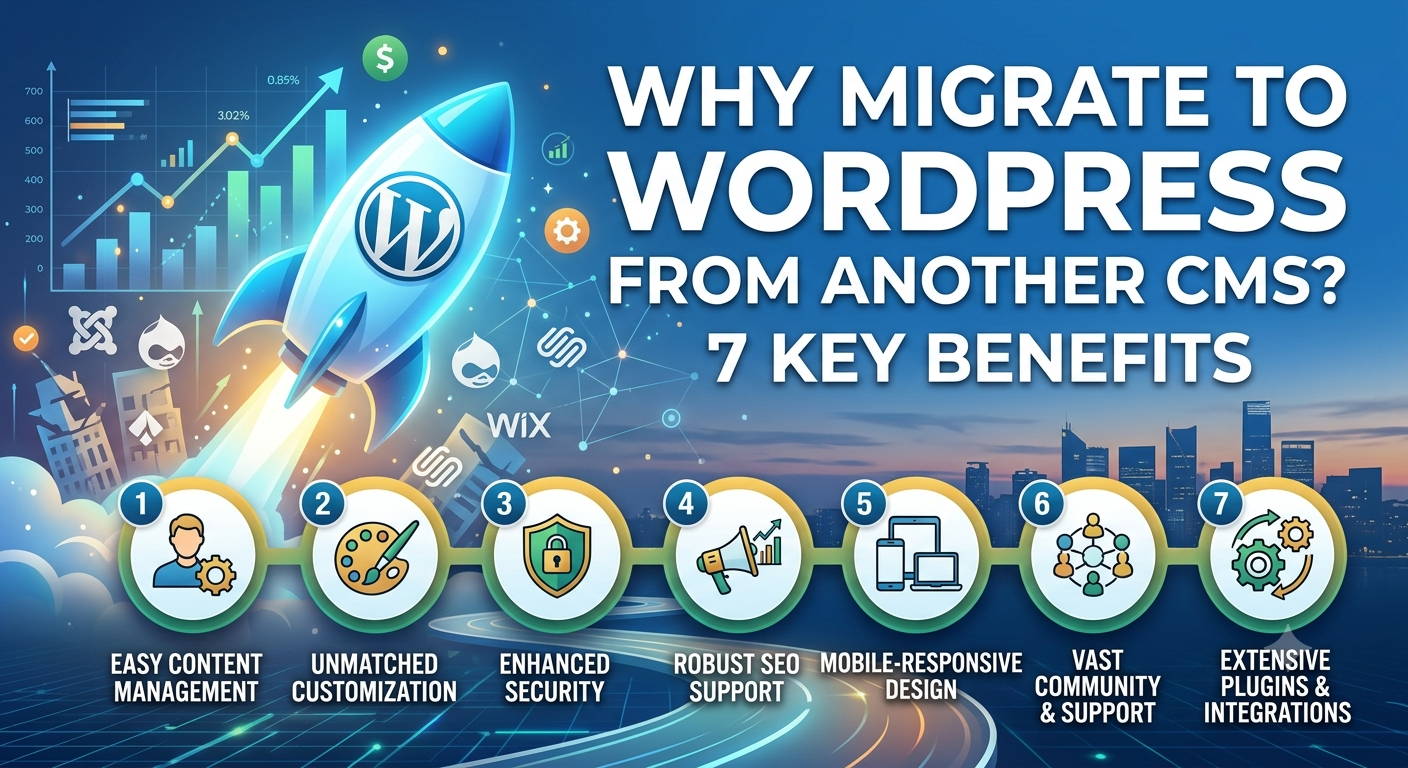
Why Migrate to WordPress From Another CMS? 7 Key Benefits

Most businesses hit a point where their current content management system stops fitting the website they actually need. Maybe editing is slow, maybe customization is limited, or maybe the platform just can’t grow with the business anymore.
You might be running a custom CMS, Joomla, Drupal, Wix, another website builder, or an older legacy platform, and you’re wondering whether it’s time to migrate to WordPress from another CMS.
A CMS to WordPress migration can give you more flexibility and better control over your content. But it needs careful planning, and it’s not a decision to make just because WordPress is popular.
Below are seven reasons businesses consider a WordPress migration, followed by what to check before you move, how the process works, and how to protect your SEO along the way.
7 Reasons to Migrate to WordPress From Another CMS
1. More Flexibility
Flexibility is probably the biggest reason people choose WordPress. A WordPress website can be extended in a lot of ways, including:
- Custom themes
- Plugins
- Custom post types
- Custom fields
- APIs
- Custom development
That gives you more room to adapt when your website requirements change, instead of working around the limits of a closed platform.
2. Better Control Over Content
Some website platforms restrict how you can organize content. WordPress lets you build structured content using categories, tags, custom post types, taxonomies, and custom fields. That’s especially useful for websites with large content libraries.
For example, a company could create separate content types for:
- Services
- Case studies
- Blog posts
- Team members
- Locations
- Resources
Each type can have its own fields and its own template, so the content stays organized as it grows.
3. More SEO Configuration Options
Moving to WordPress can give you finer control over many SEO elements. Depending on how the site is built, you can manage:
- SEO titles
- Meta descriptions
- Canonical URLs
- XML sitemaps
- Robots directives
- Schema markup
- Redirects
- Internal linking
One important caveat: migrating to WordPress does not automatically improve your rankings. SEO results still depend on content quality, technical implementation, site architecture, performance, and ongoing optimization. WordPress gives you the controls. You still have to use them well.
4. Extensive Integration Options
Modern businesses want their websites to talk to other systems. WordPress can integrate with:
- CRM platforms
- Email marketing systems
- Analytics platforms
- Payment providers
- Ecommerce systems
- Lead-generation tools
- Marketing automation platforms
- External APIs
This makes WordPress a practical choice for businesses whose technology needs are growing.
5. Easier Website Expansion
Many businesses start with a simple website and add to it over time. The path often looks like this:
Website → Blog → Resources → Case Studies → Ecommerce → Membership → Integrations
WordPress can support many different website architectures, so you aren’t forced into another migration every time the site takes a new direction. That’s why a move to WordPress is worth judging against where your website is going, not only where it is today.
6. Large WordPress Ecosystem
WordPress has a huge ecosystem built around it, including:
- Developers
- Agencies
- Plugins
- Themes
- Hosting providers
- Documentation
- Tutorials
- Support resources
In practice, this means it’s easier to find people and tools to maintain or extend your site. If your developer leaves, you’re not stuck looking for someone who knows an obscure system.
7. Greater Ownership and Customization
With self-hosted WordPress, a business can have significant control over its hosting, files, database, code, plugins, and integrations. That matters for companies that need a customized technical environment or don’t want to be tied to a single vendor’s rules.
Keep in mind that more control also means more responsibility for updates, security, backups, and performance.
What Should You Consider Before Migrating to WordPress?
WordPress may offer real benefits, but moving your website to WordPress shouldn’t be treated as a simple platform switch. Before you start, audit your existing website.
Content
Identify all of the following:
- Pages
- Blog posts
- Images
- PDFs
- Products
- Categories
- Tags
- Custom content
- URLs
Create a complete list of your existing URLs, then decide which ones will stay the same and which will change. This list becomes the base for your redirect plan later.
SEO
Record the following:
- Titles
- Meta descriptions
- Canonical URLs
- Rankings
- Organic traffic
- Backlinks
- Internal links
Save these numbers before you change anything. Without a baseline, you can’t tell whether the migration helped or hurt.
Functionality
Document what the current site does:
- Forms
- Search
- Login
- Ecommerce
- APIs
- CRM integrations
- Marketing integrations
Features like these are easy to forget and hard to rebuild in a hurry, so it’s better to list them at the start and decide how each one will work in WordPress.
How to Migrate From Another CMS to WordPress
A typical CMS to WordPress migration follows these eight steps.
- Audit the current website. Understand the existing content, URLs, SEO, and functionality.
- Plan the WordPress architecture. Define pages, posts, categories, custom post types, templates, and URL structures.
- Map the content. Determine where every important piece of content will go in WordPress.
- Migrate the content. Move text, images, files, metadata, and any other required data.
- Implement redirects. If URLs change, create appropriate redirects from the old URLs to the relevant WordPress URLs.
- Test the new website. Check content, functionality, URLs, metadata, mobile experience, and technical SEO.
- Launch. Move the WordPress website to production after final validation.
- Monitor. After launch, keep an eye on indexing, traffic, crawl errors, redirects, and conversions.
Many teams underestimate steps 3 and 5. Content mapping and redirects take the most careful thinking, and mistakes there are the ones that show up later as lost traffic. If you want the full breakdown of each stage, our complete CMS migration guide walks through it phase by phase.
Can You Migrate to WordPress Without Losing SEO?
A carefully planned migration can preserve many of your existing SEO signals, but no CMS migration can guarantee identical search performance. Anyone who promises that is overselling.
These are the areas you need to protect:
- Existing valuable URLs
- Relevant redirects
- Content
- Page titles
- Meta descriptions
- Canonical URLs
- Internal links
- Structured data
- XML sitemap
- Indexability
Google’s guidance on site moves recommends mapping old URLs to new URLs and setting up redirects when URLs change. It also recommends monitoring crawling, indexing, and search performance after the migration. You can find this in Google Search Central documentation at developers.google.com.
Small fluctuations right after launch are normal while search engines recrawl your pages. A steady decline is what you should investigate.
When Is Moving to WordPress Worth Considering?
A WordPress migration may be worth investigating when your current CMS limits you in areas such as:
- Content management
- Customization
- SEO configuration
- Integrations
- Scalability
- Development
- Content architecture
The decision should come from the actual technical and business requirements of your website, not from trends or from what a competitor happens to use.
When WordPress May Not Be the Right Choice
WordPress isn’t the answer for everyone. If your current platform already meets your needs, your team is happy with it, and your site is small and stable, a migration may add cost and risk without much gain.
It’s also worth being realistic about maintenance. Self-hosted WordPress needs regular updates, backups, and security attention, so if you don’t have anyone to handle that, budget for managed hosting or ongoing support before you commit.
Frequently Asked Questions
Why migrate to WordPress from another CMS?
Businesses usually move for flexibility, better content control, more SEO configuration options, wider integrations, easier expansion, a large support ecosystem, and greater ownership of their website.
Can I migrate my website to WordPress without losing SEO?
You can protect most of your SEO signals by keeping valuable URLs, setting up correct redirects, and carrying over titles, meta descriptions, canonicals, and structured data. No migration can guarantee identical rankings, so monitor closely after launch.
Which platforms can I move to WordPress from?
Most common platforms can be moved, including Joomla, Drupal, Wix, other website builders, custom CMS setups, and older legacy platforms. The method differs by platform, but the planning steps are the same.
How do I move my website to WordPress?
Audit the current site, plan the WordPress architecture, map the content, migrate it, set up redirects, test everything, launch, and then monitor indexing, traffic, and errors.
Will migrating to WordPress improve my rankings?
Not automatically. WordPress gives you more control over SEO elements, but rankings still depend on content quality, technical setup, site architecture, performance, and ongoing optimization.
Final Thoughts
Moving from another CMS to WordPress can bring more flexibility, better content-management options, deeper customization, and wider integration possibilities.
But the platform change is only one part of the project. A successful migration also depends on careful planning for:
Content + URLs + SEO + Functionality + Redirects + Testing
If you’re thinking about a move to WordPress, start with a complete audit of your current website before you touch anything else. It shows you what to preserve, what to improve, and what needs to be rebuilt on WordPress.